Toggle Bedrock Experiments for the Web
Today we are introducing a new way to enable experimental features on Minecraft Bedrock Edition worlds using the Minecraft Bedrock Experiments Editor. This tool allows you to toggle experimental features without needing to modify the world settings directly in the game.
How It Works
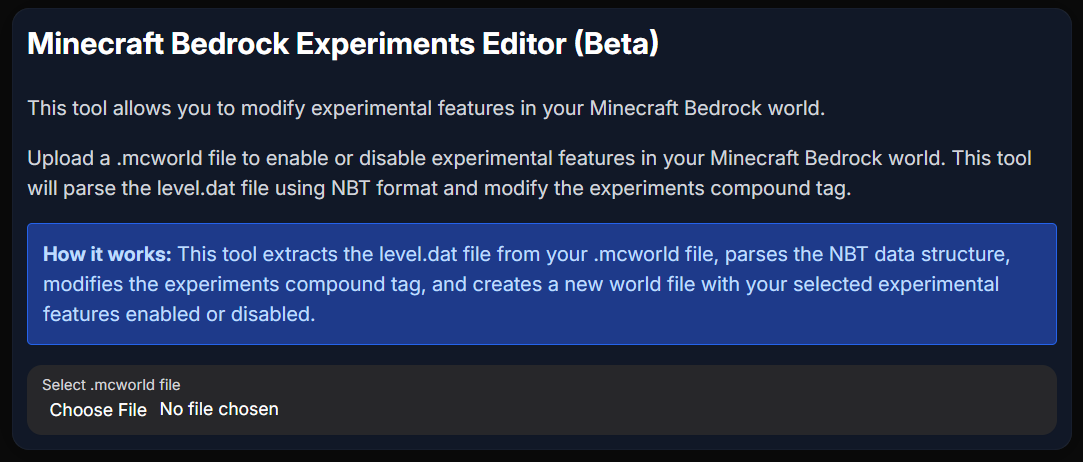
This tool is particularly useful for players who want to use the Add-Ons with experimental features enabled in Minecraft Education Edition or Minecraft Bedrock Edition. You can upload your world in .mcworld format, select the experiments you want to enable, and then download the modified world with those features activated.
Start from Template
If you want to enable experiments on a new world, no worries! You can use the Start from Template page to choose a world template including flat worlds, to start enabling experiments.
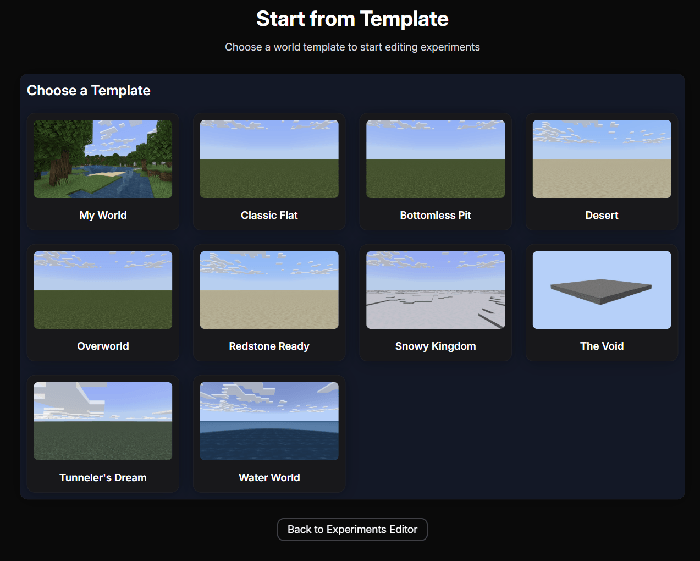
Note: Sample world templates will be available for download in MCPEDL and CurseForge soon.
Next Steps
This tool is currently in beta, and we are looking to improve it based on your feedback, including adding experiments from future updates of Minecraft Bedrock.
Attribution
Below are the libraries used specifically for the Minecraft Bedrock Experiments Editor:
All links
All related links: